Automations and Integrations
Both Automations and Integrations trigger Ziggy Flows automatically. The difference is the type of triggering event.
You'll find and explanation an examples below.

What's an Automation?
An Ziggy flow that is triggered by ...
- An incoming Email, WhatsApp, SMS, Social Media post
- An event in a messaging system such as Internet of Things/MQTT, AWS SQS/SNS, Kafka, Redis Event Streams/PubSub etc.
- Ziggy's Scheduler.

What's an Integration?
An Ziggy flow that is triggered manually, by a webhook, through an API call.

Automation Examples
Example 1 (step 1) : an email is sent to support@yourcompany.com
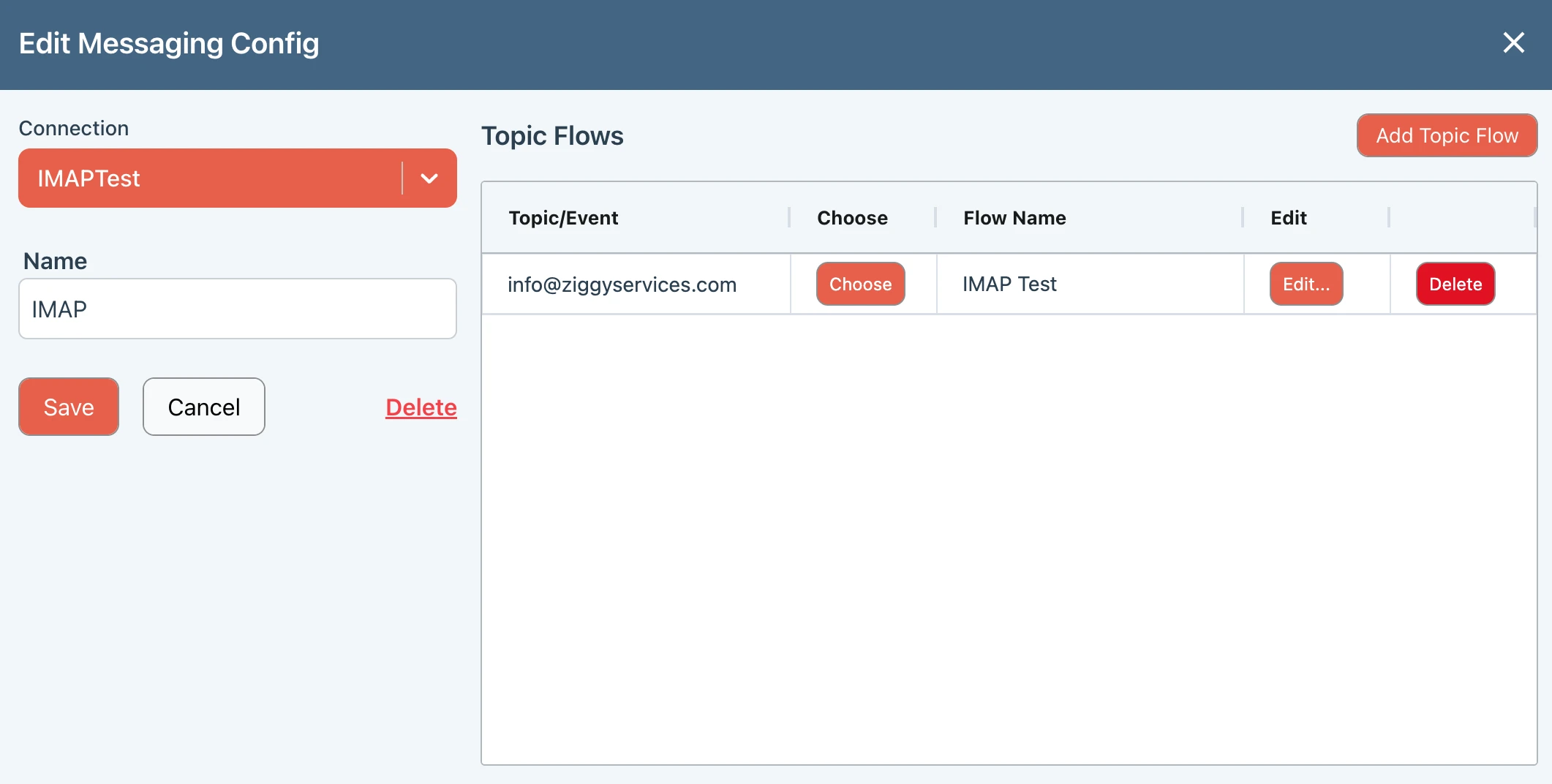
Configure Ziggy's Messaging to monitor an email address. Each email then triggers a Ziggy Flow
Example 1 (step 2) - Triggered flow
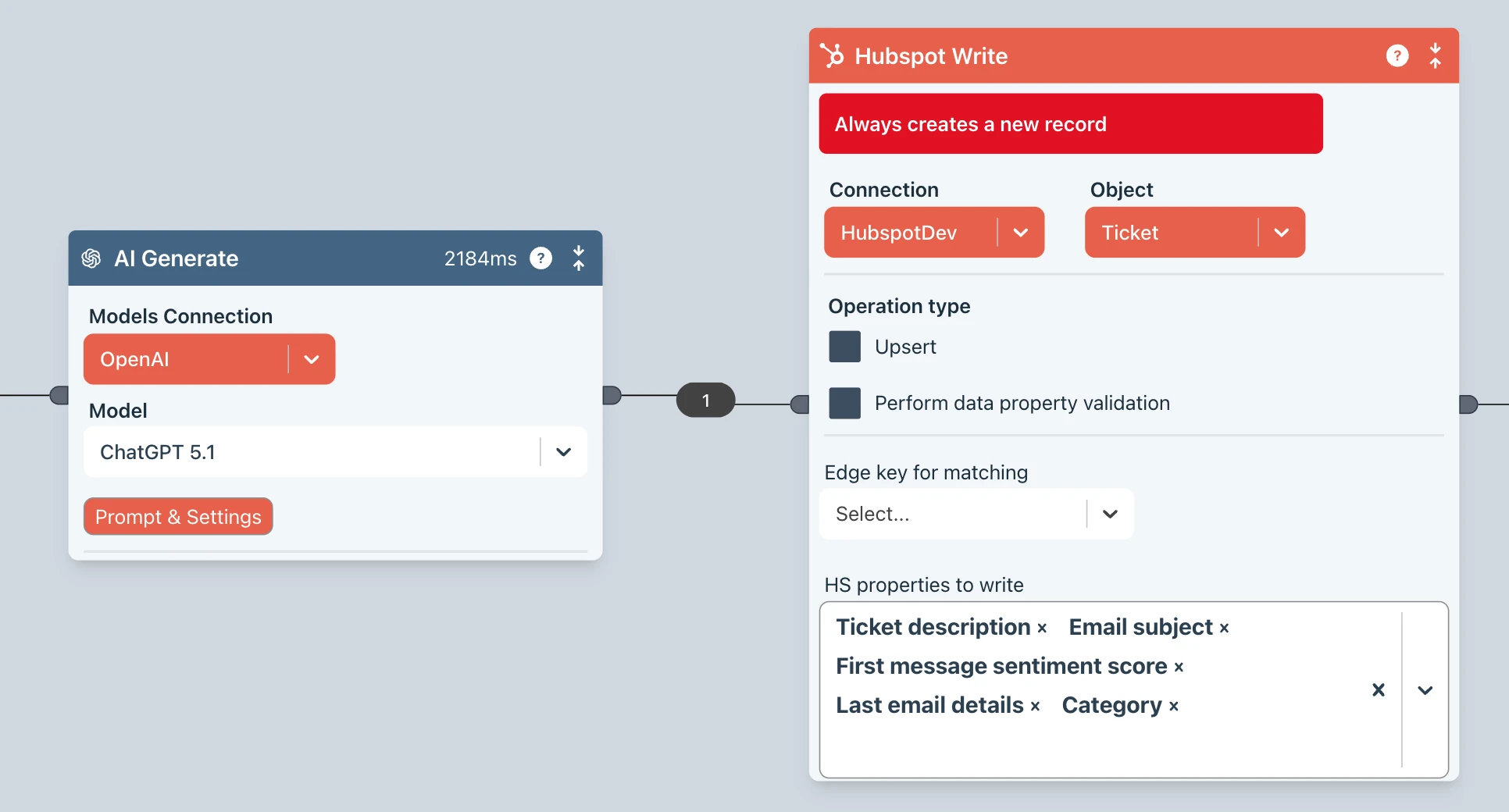
The Ziggy flow receives the email data then uses the AI Generate block to calculate a happiness score and categorize the contents before creating a new ticket in your CRM.
Example 1 (step 3) - AI Generate
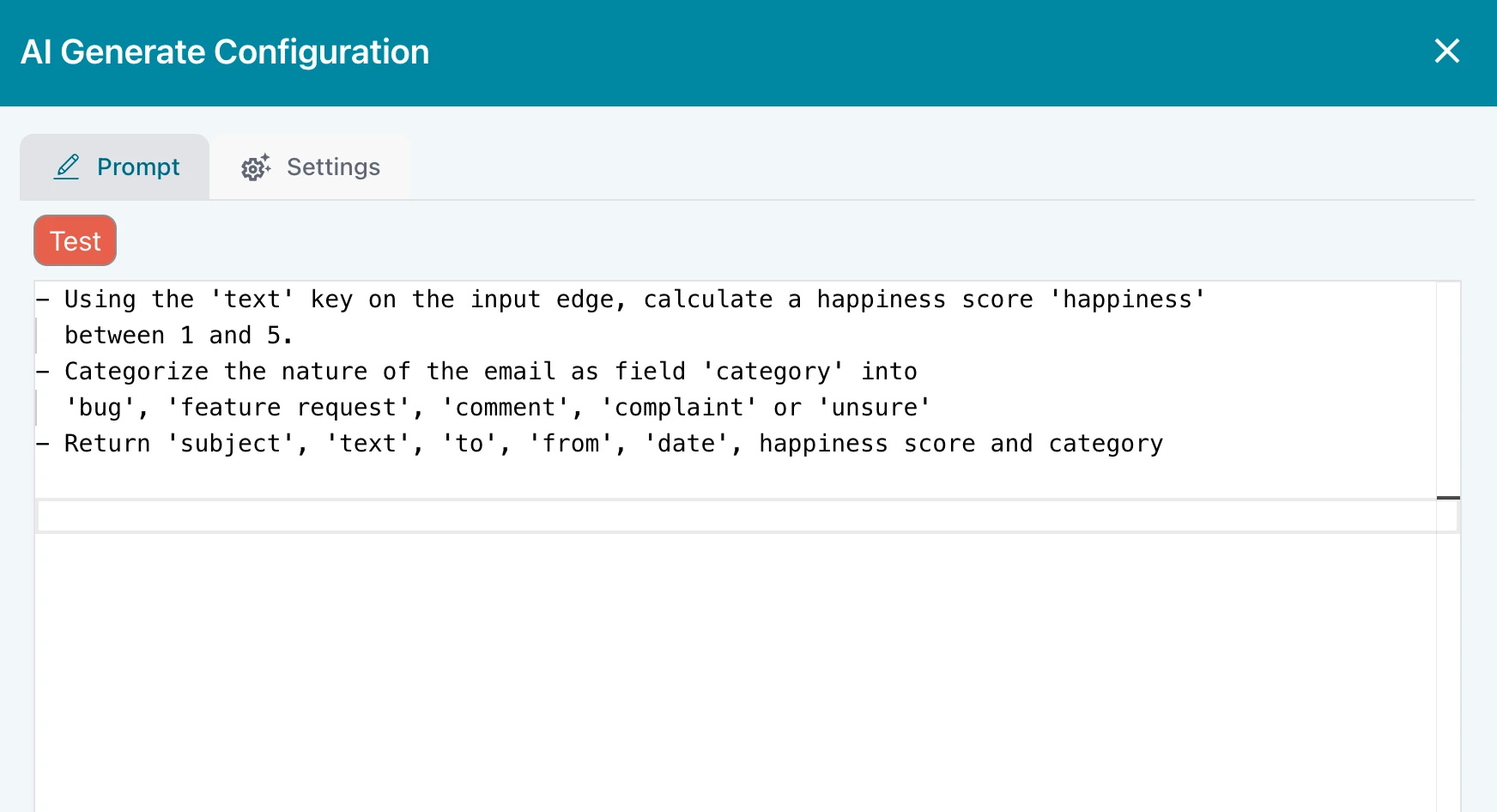
The AI Generate block lets you configure a prompt that does whatever you need it to do. It puts the result onto the output edge as you request.
Example 2 : Message Queue processing
A company application uses a Queue/Event Stream to send notifications.
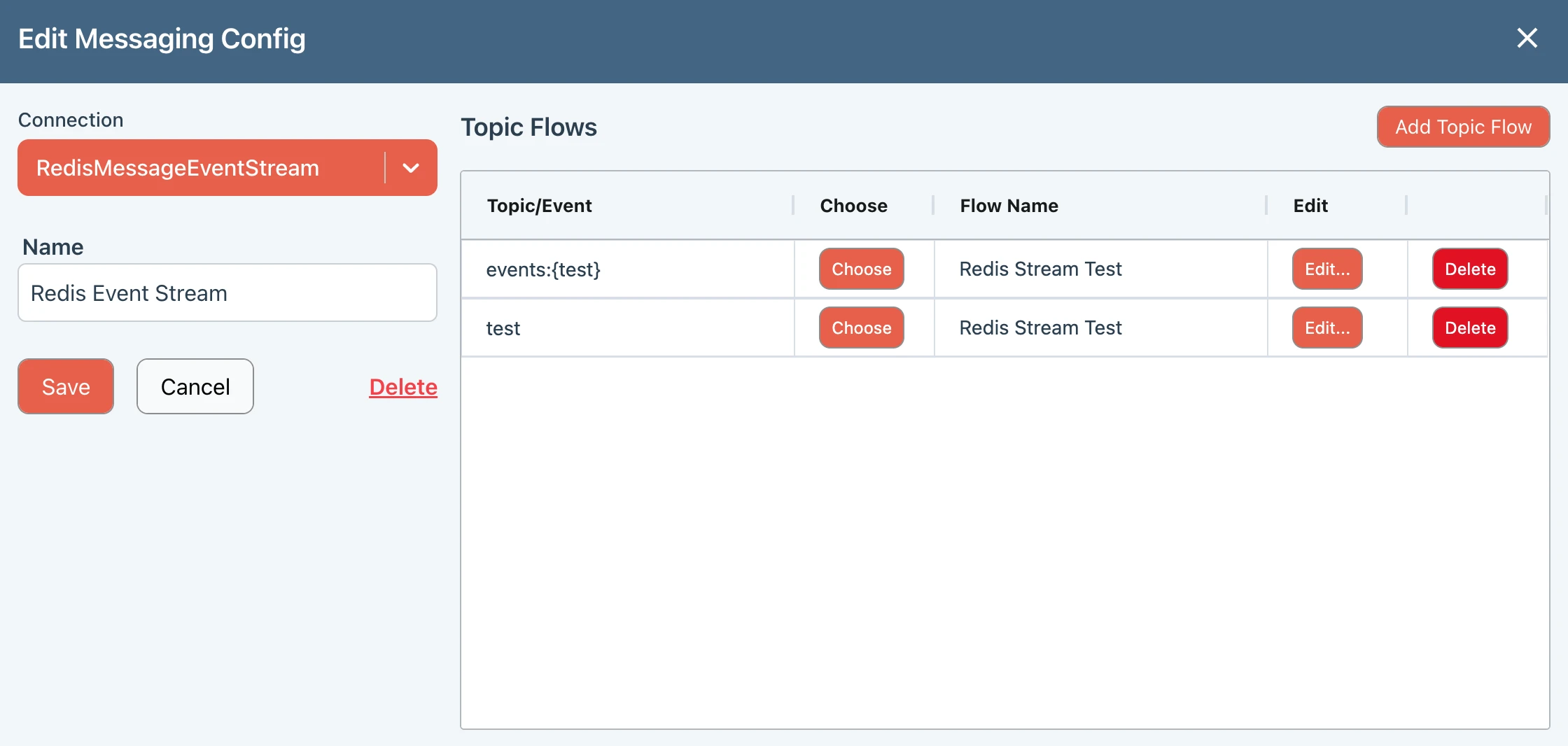
This example shows Ziggy configured to listen to two Redis Stream Events and then launch a flow, passing in the event data.
The triggered Flow can do anything you require - transform data, store in multiple systems, send alerts and notifications etc.
Example 3 : Scheduled SFTP/CSV load
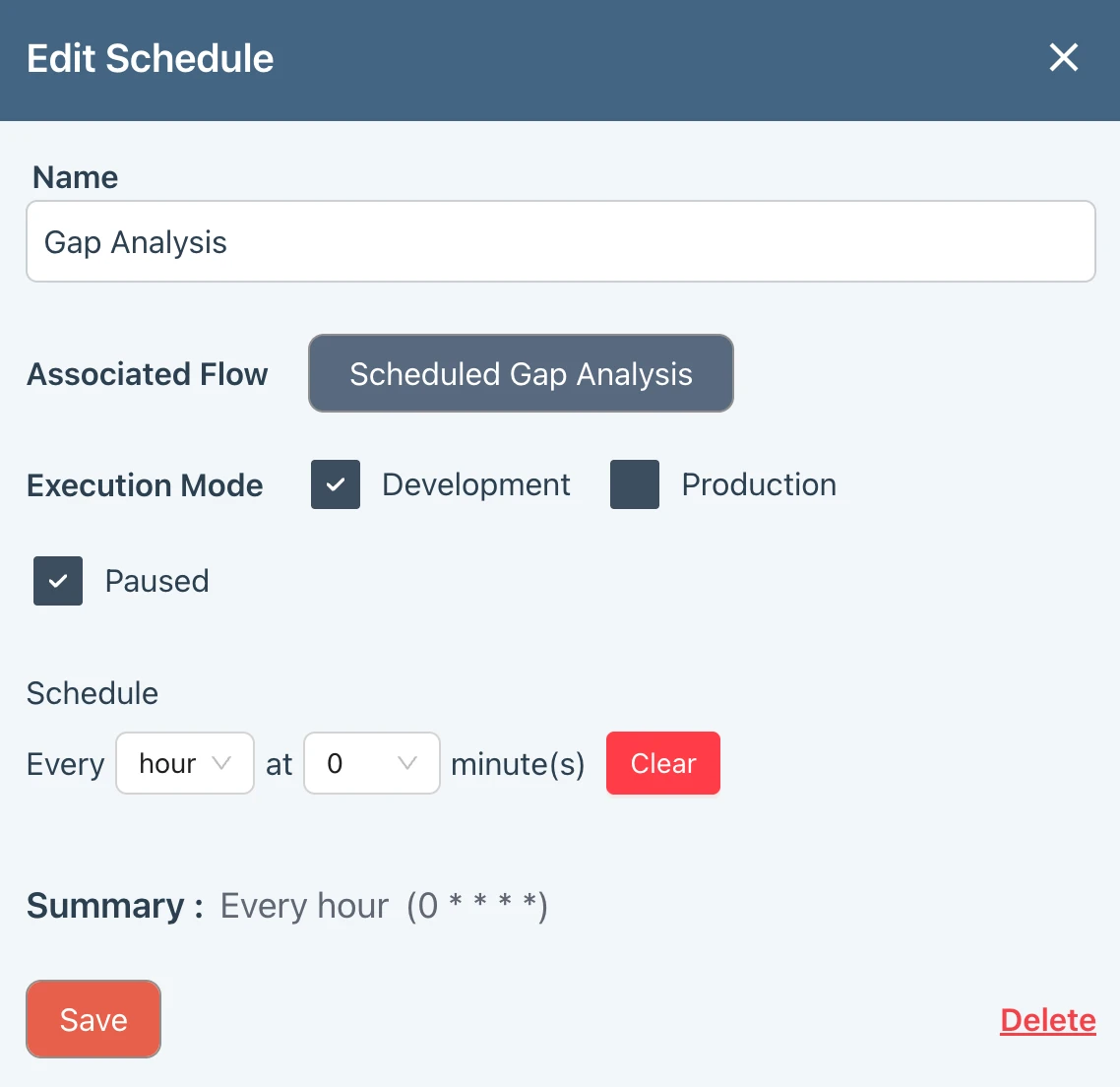
You want to read a CSV file stored on an SFTP server every day at 6am, 12pm and 6pm.
Ziggy's Scheduler launches a flow that reads the CSV file from the SFTP server then processes as you require with further Ziggy blocks.
Configure Ziggy's Messaging to monitor an email address. Each email then triggers a Ziggy Flow
The Ziggy flow receives the email data then uses the AI Generate block to calculate a happiness score and categorize the contents before creating a new ticket in your CRM.
The AI Generate block lets you configure a prompt that does whatever you need it to do. It puts the result onto the output edge as you request.
A company application uses a Queue/Event Stream to send notifications.
This example shows Ziggy configured to listen to two Redis Stream Events and then launch a flow, passing in the event data.
The triggered Flow can do anything you require - transform data, store in multiple systems, send alerts and notifications etc.
You want to read a CSV file stored on an SFTP server every day at 6am, 12pm and 6pm.
Ziggy's Scheduler launches a flow that reads the CSV file from the SFTP server then processes as you require with further Ziggy blocks.
Integration Examples
Example 1 : when your ERP data changes, update your CRM
Configure a webhook in your CRM that launches a Ziggy Flow.
The flow can perform any transformations and actions you require such as writing to a Data Warehouse, Database, calling an API or writing back to your CRM.
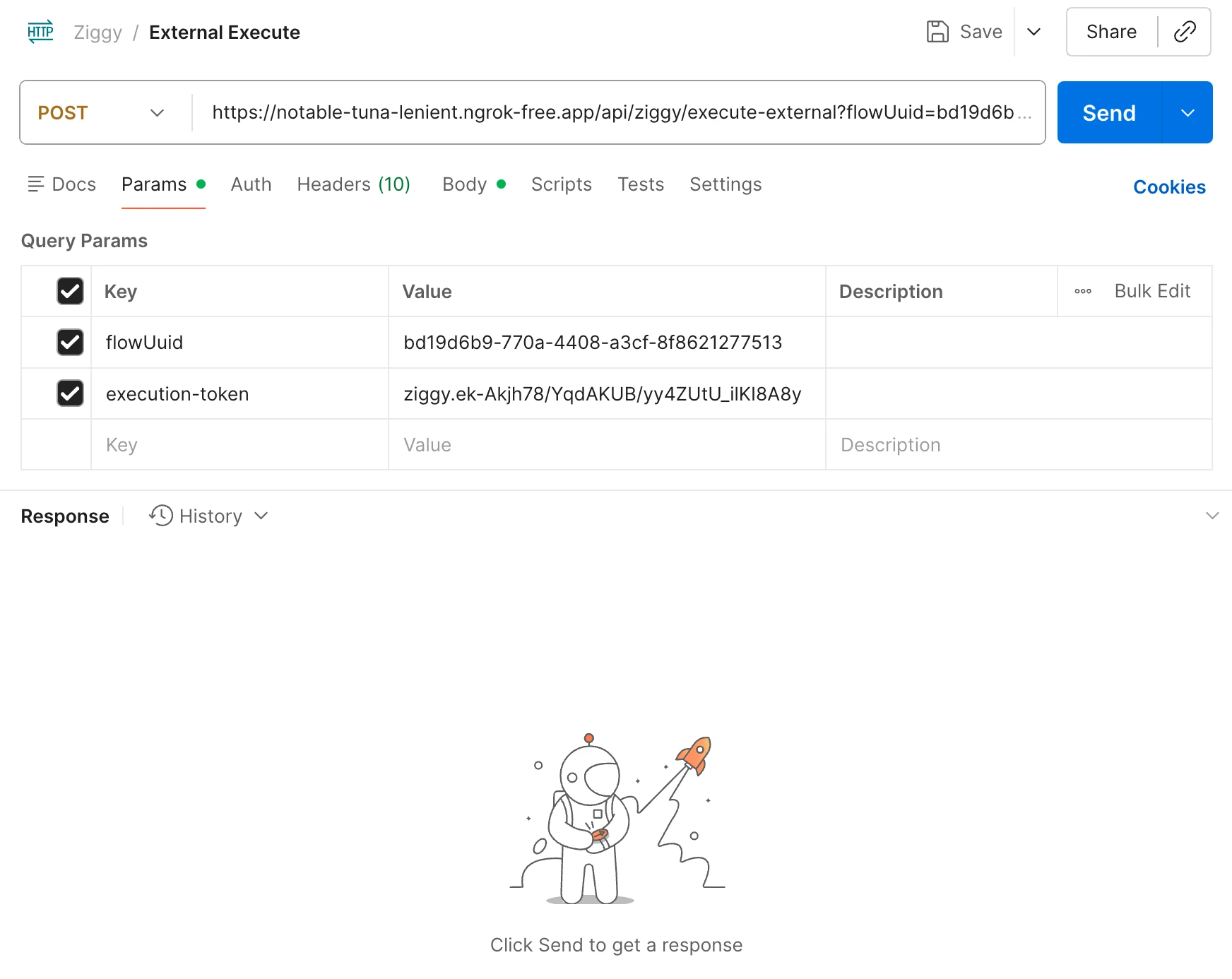
Example 2 : Launch a flow from your own application with an API call.
Your application makes a simple REST API call to Ziggy to launch a flow. That Flow performs any transformation and 3rd party platform operations your require.
Example 3 : Data Migrations
Ziggy is ideal for performing both small and enterprise scale data migrations.
Whether you're migrating a few hundred records or millions across multiple, related objected, Ziggy Flows let you audit, validate, map, transform your data so it ends up in the right place in the right format.
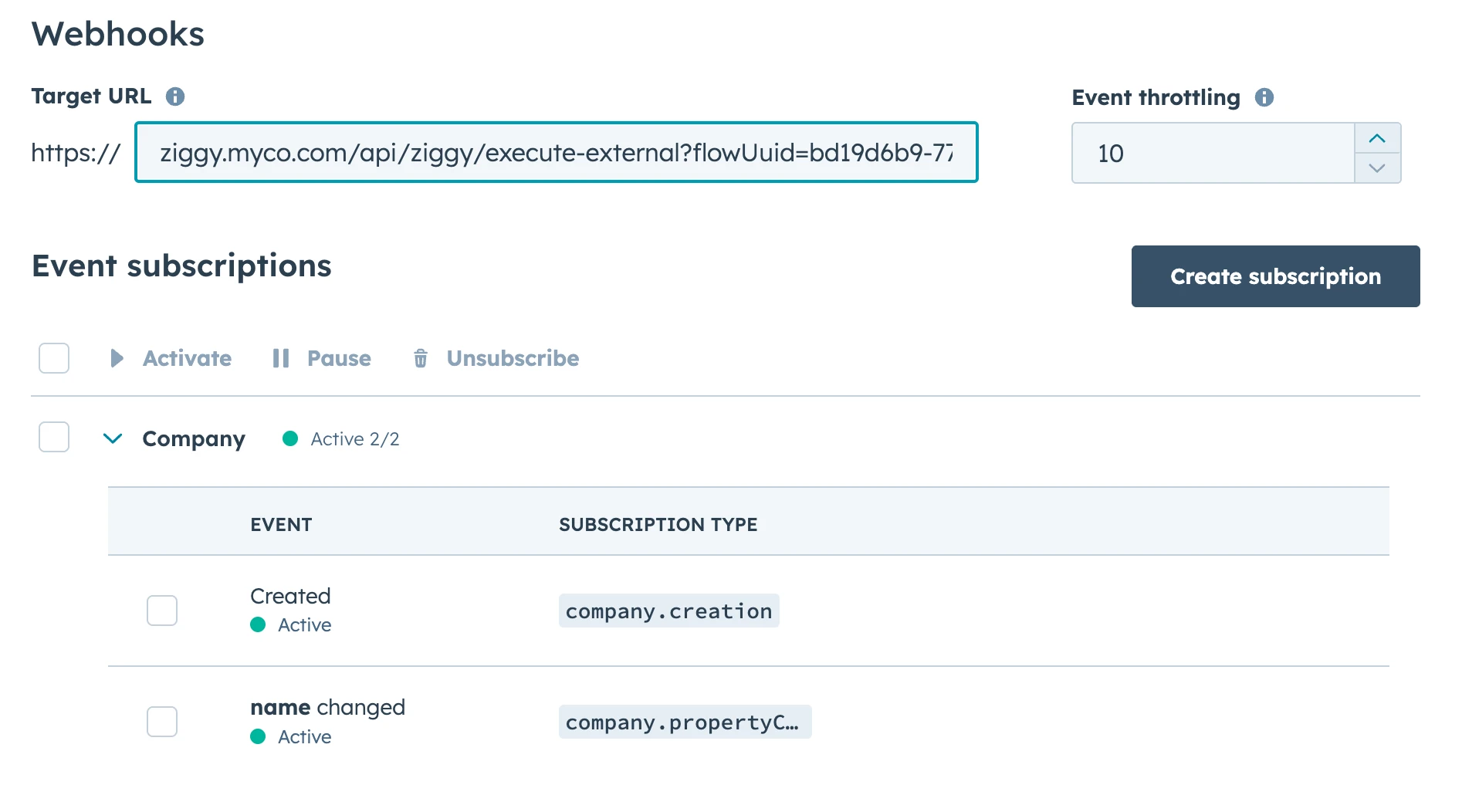
Configure a webhook in your CRM that launches a Ziggy Flow.
The flow can perform any transformations and actions you require such as writing to a Data Warehouse, Database, calling an API or writing back to your CRM.
Your application makes a simple REST API call to Ziggy to launch a flow. That Flow performs any transformation and 3rd party platform operations your require.
Ziggy is ideal for performing both small and enterprise scale data migrations.
Whether you're migrating a few hundred records or millions across multiple, related objected, Ziggy Flows let you audit, validate, map, transform your data so it ends up in the right place in the right format.